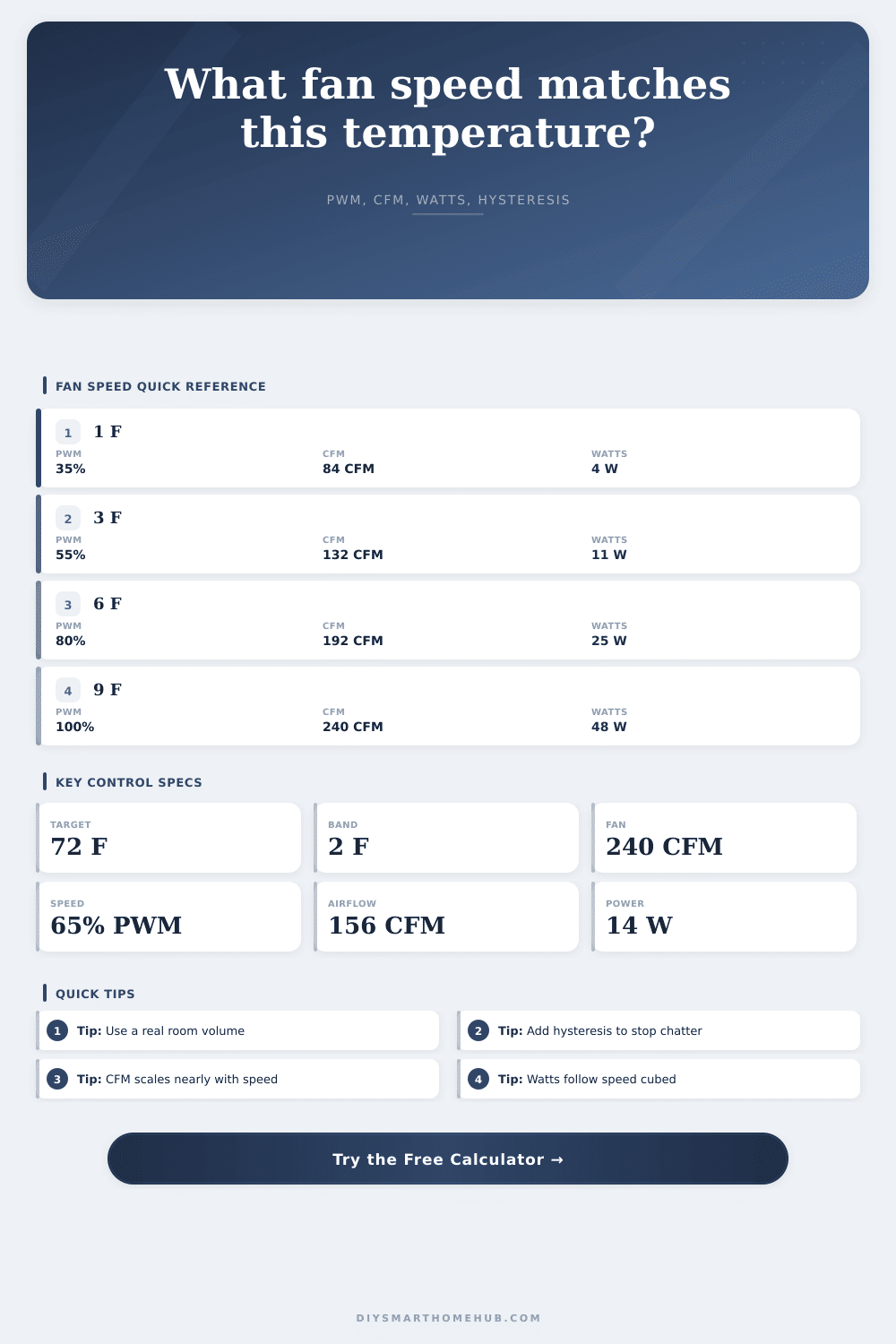
Smart Fan Speed by Temperature Calculator
Convert room temperature rise into a practical PWM speed, effective CFM, air changes per hour, fan watts, and hysteresis thresholds for smart home fan control.
Full smart fan breakdown
| Fan profile | Rated airflow | Full-speed watts | Path derate | Stable PWM floor |
|---|---|---|---|---|
| Quiet bath fan, open grille | 110 CFM | 24 W | 0.95 for grille loss | 35% |
| EC duct booster, short duct | 240 CFM | 48 W | 0.88 for short duct | 30% |
| Six inch inline fan, filter path | 402 CFM | 62 W | 0.72 for filter and bends | 35% |
| AV cabinet axial fan pair | 80 CFM | 12 W | 0.82 for grille panels | 40% |
| Network rack PWM fan tray | 160 CFM | 22 W | 0.78 for dense shelves | 35% |
| Garage wall exhaust fan | 1,200 CFM | 180 W | 0.90 for louver loss | 45% |
| Greenhouse louver exhaust | 800 CFM | 120 W | 0.86 for shutter loss | 40% |
| Attic gable fan | 1,600 CFM | 250 W | 0.80 for vent restriction | 50% |
| Speed command | CFM fraction | Watts fraction | What it means |
|---|---|---|---|
| 25% PWM | About 25% of rated CFM | About 1.6% of rated watts | Only works if the fan can spin reliably this low |
| 50% PWM | About 50% of rated CFM | About 12.5% of rated watts | Quiet circulation with strong power savings |
| 75% PWM | About 75% of rated CFM | About 42% of rated watts | Useful when temperature is climbing steadily |
| 100% PWM | Rated CFM before derates | Rated watts plus controller standby | Best for rapid purge or high temperature delta |
| Target | Band | Start cooling at | Stop cooling at |
|---|---|---|---|
| 72°F | 1°F | 73°F | 71°F |
| 72°F | 2°F | 74°F | 70°F |
| 24°C | 1°C | 25°C | 23°C |
| 30°C rack | 2°C | 32°C | 28°C |
| Space or load | Typical volume | Temperature aim | ACH target | Useful fan size |
|---|---|---|---|---|
| Bedroom quiet vent | 1,100 to 1,600 ft³ | 1 to 4°F above setpoint | 3 to 5 ACH | 100 to 250 CFM |
| Home office with computers | 900 to 1,400 ft³ | 2 to 6°F above setpoint | 4 to 6 ACH | 150 to 300 CFM |
| Network rack cabinet | 20 to 120 ft³ | 3 to 10°F above target | 20 to 60 ACH | 80 to 250 CFM |
| Garage summer vent | 3,000 to 5,000 ft³ | 4 to 12°F above target | 5 to 10 ACH | 800 to 1,500 CFM |
| Greenhouse exhaust | 1,500 to 4,000 ft³ | 2 to 8°F above target | 10 to 20 ACH | 600 to 1,600 CFM |
This causes a problem because your network rack is heating up entire room. To combat this, you can turn on the fan, but then it gets noisy. Alternatively, if you don’t cool it enough, your gear may start to overheat and shut off. This is where smart home ventilation comes into play. By matching airflow with exactly how much heat need to be removed, you get a happy medium.
After plugging in your room size and fan information into this page’s tool, it’ll compute what settings are needed. That way, you don’t have to guess whether or not your existing fan move enough air.
Why Smart Ventilation Is Better
I know a lot of folks think “more airflow = better cooling,” but they’re mistaken on fan operation. Power consumption rise cubically as speed increases, but airflow rises almost linearly. So, turning a fan down to half-speed will result in only pushing around half as much air… But using only about one-twelfth as much power. And that’s where efficiency comes into play.
When the thermostat senses slightly warm conditions, having fans run at low/moderate speeds for extended durations will be cheaper then having them run at full blast all day. The volume of the room determine how much that airflow will do. 1000 cubic feet per minute (CFM) might sound huge, but in a big garage that’s just changing air every couple hours. The calculator will convert your raw CFM into air changes per hour, which lets you tell whether you’re meeting your heat needs.
Do you want to maintain a bedroom at, say, seventy two degrees? How many watts of heat do electronics and sunlight add, and how much airflow do you need to offset that? If the current temp is close enough to the target, then a low PWM duty cycle should of be enough. If the current temp is far from the target, you’ll need more aggressive airflow before the hysteresis band trigger the full speed ramp.
The deadband is known as hysteresis, which keeps the fan from rapid on-off cycling. That’s bad for the motor (shorter life) and bad for energy usage (rapidly switching uses a lot). With a two degree band, the system will keep running until the temperature is two degrees below target. It smooths things out criticaly for both comfort and hardware life.
The reference table in layout explains typical profiles with different fans showing how they operate with those control strategies. Some will stall if asked to turn at lower speed; others run quietly at 30% duty cycles. You want to know the minimum %PWM at which the fan operates stably so you don’t go too low and cause it to stop or vibrate.
But that’s ignoring resistance from real world installation. Grilles, ducts and filters all impede airflow. The calculator includes a reduction factor which accounts for those losses, giving a more realistic view of actual airflow. Better to under-estimate than over-estimate. That said, when you look at the watts it estimates you’ll get, note that’s the output, that’s what will be loaded onto your circuit.
It is not just about how comfortable the space will feel. Those are the two metrics you balance with smart ventilation. It’s not as complex as setting up a house of cards, but it requires that you consider tradeoffs: do I care more about cool air at all times vs quiet? Do I have time-of-day energy prices that would make me concerned about electricity usage during peak hours? Those are more important questions than any one number on a spec sheet.
Over time you can tweak the ramp rate and even change the size of the hysteresis band to further fine tune the experience. Begin with conservative settings and see how the room respond after a day or two. Pretty soon you’ll know whether the fan is spinning too fast or not fast enough.
Invisible comfort is the goal. Until there’s heat you don’t notice the fan running, but as soon as it gets hot, the fan reacts. It keeps its mouth shut; it operates efficienty only when necessary, then increases. Done correctly, you can sense that something’s happening with the air, but it doesn’t seem to be moving at all. That’s the goal of any smart ventilation solution.
It cools you down without disturbing you. Moderating the operation save you money on the energy bill. And suddenly that humble motor becomes a thoughtful component in your livig space.