Smart Camera Pan Tilt Sweep Time Calculator
Estimate how long one PTZ patrol takes from pan arc, tilt arc, motor speed, dwell time, preset count, acceleration delay, return behavior, and camera field of view.
PTZ sweep result
| Motion profile | Typical pan | Typical tilt | Good use |
|---|---|---|---|
| Quiet indoor camera | 25 to 60 deg/sec | 15 to 35 deg/sec | Nursery or office patrols |
| Compact indoor PTZ | 60 to 120 deg/sec | 30 to 70 deg/sec | Room and entry monitoring |
| Fast ceiling dome | 180 to 360 deg/sec | 90 to 180 deg/sec | Large indoor zones |
| Outdoor security PTZ | 120 to 300 deg/sec | 60 to 160 deg/sec | Yard and driveway sweeps |
| Industrial patrol camera | 240 to 500 deg/sec | 120 to 250 deg/sec | Long aisles and perimeters |
| Formula part | How it is counted | Example | Result |
|---|---|---|---|
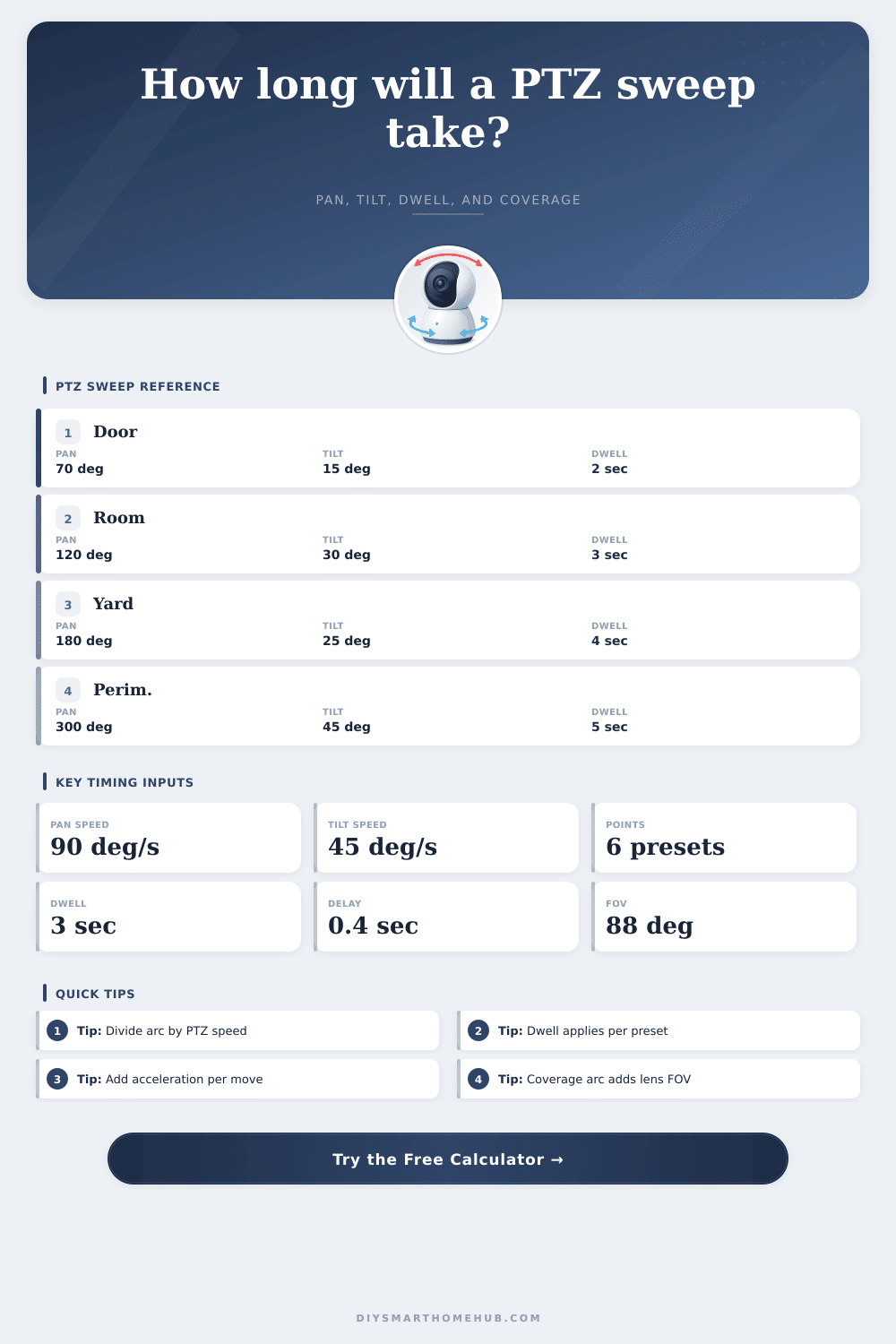
| Pan travel | Pan deg / pan speed | 120 / 90 | 1.33 sec |
| Tilt travel | Tilt deg / tilt speed | 30 / 45 | 0.67 sec |
| Dwell time | Points x dwell | 6 x 3 | 18.0 sec |
| Acceleration | Moves x delay | 6 x 0.4 | 2.4 sec |
| Coverage arc | Pan arc + lens FOV | 120 + 88 | 208 deg |
| Scene type | Pan arc | Preset count | Timing note |
|---|---|---|---|
| Narrow doorway | 45 to 75 deg | 2 to 3 | Motion time is small; dwell dominates. |
| Single room | 90 to 140 deg | 4 to 6 | Use point spacing below lens FOV. |
| Garage bay | 110 to 180 deg | 5 to 8 | Return delay can be visible in cycle time. |
| Driveway apron | 160 to 240 deg | 6 to 10 | Check coverage arc at vehicle distance. |
| Perimeter sweep | 240 to 360 deg | 8 to 16 | Out-and-back doubles angular travel. |
| Example setup | Motion | Dwell | Cycle behavior |
|---|---|---|---|
| Entry quick look | About 2 sec | 6 sec | Many scans per hour |
| Living room patrol | About 3 sec | 18 sec | Dwell-heavy cycle |
| Outdoor driveway | About 5 sec | 28 sec | Return arc matters |
| Warehouse aisle | About 8 sec | 40 sec | Many preset stops |
| Fast dome sweep | Under 2 sec | 12 sec | Lens FOV drives coverage |
Then you set up the PTZ camera to cover your driveway, and it begins moving instanty. At first it seems like it’s going pretty quickly, but then you notice it wastes half its time looking at the vacant mailbox before flicking a glance back towards the garage door. The coverage seem random; the timing isn’t right.
This calculator addresses this by calculating an estimate for full patrol cycle length (pause time + movement), based off camera’s motor speed and angle of movement. It determines not just if the camera move, but if it moves in a way that captures what needs capturing.
How to Calculate Your Camera’s Patrol Time
The basic math is just division. But reality gets complicated. To determine motion time, simply divide total horizontal pan angle by pan speed. Repeat with vertical tilt. Most folks screw this up, though. They fail to account for dwell time, which means if your camera take a three-second pause at each of six preset locations, it spends almost all its time (eighteen seconds) gazing at nothing. There may actualy only be two seconds of movement.
The calculator breaks it down for you so you know precisely when you’re moving and when you’re watching. This change how you approach your security. Think also about the physical mechanics here. One dome protecting a warehouse perimeter is timed different than another facing into a nursery. Motors is more powerful and quiet so they don’t sound an alarm. But then take longer to move around. Industrial domes zip across angles at hundreds of degrees per second, slashing travel time but requiring precise dwell settings to prevent blurring or missing detail.
Those are the real situations that is shown by the preset buttons on the tool. If I choose the right profile for a quiet nursery setting, it will automatically adjust dwell times and speeds for that situation. Know precisely what your motors can handle? Then tweak those numbers for even more control.
The number of stops also makes an unexpectedly big difference. To cover the same space with fewer stops, you simply need fewer presets. And since fewer presets mean fewer accelerations and decelerations from point to point, it is more efficient. It turns out there are input fields for horizontal field of view on the tool, which allows you to calculate how far the lens actualy covers compared to the mechanical sweep. You don’t want your preset spacing to be wider than the lens because then you’ll have blind spots where you’re missing something between one view and another. That’s a critical detail that gets hidden entirely by just showing raw speed numbers.
Another little-known variable is acceleration delay. This isn’t just about motors instantaneously hitting max RPMs. They ramp up and then stabilize at their position. Even half a second on every move (that’s 5 seconds over 10 presets) includes both motor mechanics and whatever latency exists in the app. That adds 5 more seconds onto your cycle due to that motor ramp up and app latency. You could of entered this directly into the calculator.
Similarly, it treats different return behaviors differently. While some cameras will loop forever, others just snap back to home after each sweep. Each behavior affect overall travel distance and so changes how much time is spent scanning your target area.
Users tend to overestimate when their camera are checking a particular area. You might believe it scans once a minute, but that is not quite accurate. Because of the delay in staying on an area and returning to it, it is probably more like every four minutes. That will help set proper expectations around how responsive an alarm is. It will also discourage people with wireless units from running down the batteries. It will also stop those with mechanical parts from wearing them out with overly aggressive sweeping.
But all of this comes down to balance, when do I sweep fast enough to cover the base, yet slow enough to not miss anything? That depends on how bad the threat to the space is. You want to be sweeping slowly in areas where someone might hide for minutes and quickly through an area that might only yield a brief glimpse. Speed and dwell are intertwined, creating a rhythm that works with your space. Get it right and your patrol becomes natural, not robotic. Get it wrong, and you’re back to wondering what’s been missed.
Why should I guess? The beauty of the tool is that it removes the math from the equation, so now you have the opportunity to spend more time thinking “strategically” as opposed to “arithmeticly.” Now that you know how long it actualy takes between those glances, you begin to design with intention and not assumption. Then suddenly, your camera isn’t just kind of waving around anymore, its actually watching.