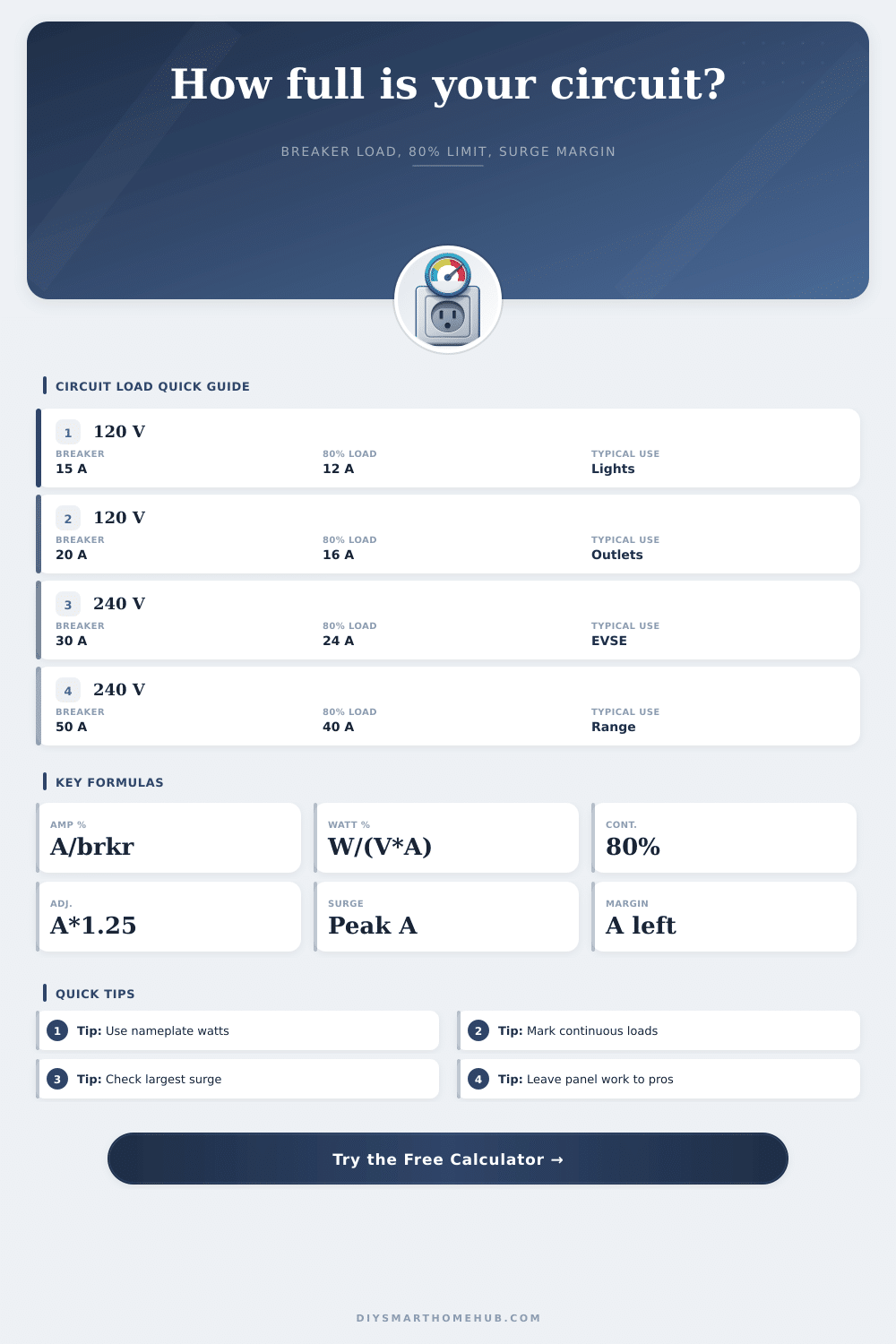
Circuit Load Percentage Calculator
Estimate how much of a breaker is used by measured amps or a mixed device list, including watts-to-amps conversion, 80% continuous-load planning, and starting surge headroom.
| Device type | Qty | Entry | Watts each | Amps each | Duty | Surge x |
|---|---|---|---|---|---|---|
Common breaker load reference
| Breaker | 120 V capacity | 80% load | Planning note |
|---|---|---|---|
| 15 A | 1800 VA | 12 A / 1440 VA | Typical lighting or outlet branch |
| 20 A | 2400 VA | 16 A / 1920 VA | Common receptacle circuit |
| 30 A | 3600 VA | 24 A / 2880 VA | Dedicated equipment branch |
| 40 A | 4800 VA | 32 A / 3840 VA | Larger dedicated load |
| 50 A | 6000 VA | 40 A / 4800 VA | High-power appliance branch |
Smart-home device load ranges
| Device | Typical watts | Duty | Surge check |
|---|---|---|---|
| Router or modem | 8 to 25 W | Continuous | Low |
| PoE switch | 35 to 250 W | Continuous | Low to moderate |
| NAS or mini server | 45 to 180 W | Continuous | Disk spin-up |
| LED lighting load | 60 to 600 W | Continuous if 3h+ | Driver inrush |
| Laser printer | 600 to 1200 W | Noncontinuous | Heating surge |
Formula reference used here
| Check | Formula | Meaning | Result use |
|---|---|---|---|
| Amps load % | amps / breaker amps x 100 | Direct breaker loading | Main result |
| Watts load % | watts / (volts x breaker amps) x 100 | Equivalent volt-amp method | Cross-check |
| Continuous plan | continuous amps x 1.25 + other amps | 80% continuous threshold | Planning result |
| Surge peak | all running amps - largest load + largest surge | One largest starting load | Headroom check |
Load percentage bands
| Band | Running % | Continuous plan | Interpretation |
|---|---|---|---|
| Light | 0 to 50% | Under 50% | Plenty of capacity |
| Moderate | 50 to 70% | Under 70% | Useful margin remains |
| Near threshold | 70 to 80% | 70 to 90% | Review continuous loads |
| Tight | 80 to 100% | 90 to 100% | Little planning headroom |
| Over | Over 100% | Over 100% | Load exceeds selected rating |
The breaker is tripping. Why? Because adding a space heater (or plugging in your desktop computer) put too much demand on the wires for them to be safe. Even though the circuit doesn’t appear loaded. How do you know how much load it’s really handling? Don’t just guess; you need to know actual load before you commit to the plug.
This means that while your breaker rating (the maximum current it will break) is the number, you cannot continuously run that much through the switch. According to electrical code, if something runs for more than three hours, it must be below eighty percent of the breaker rating. Why? Because it’s less stressful on wiring; cables heats up over time and prolonged heating speed the wearing down of the insulation material compared to occasional spikes. For example: With a regular fifteen-amp breaker, you have only twelve amps for your things that is on all day long. The rest is reserved for temporary surges, a cushion of protection.
How to Know If Your Circuit Is Safe
Most people treat watts and amps as interchangeable terms without realizing they are different sides of the same coin. Difference is that watts represent the total amount of power being consumed, whereas amps represents the amount of current flowing through the wire. It’s important to know this because depending on the voltage you’re working with (a one hundred twenty volt line versus a two hundred forty volt circuit), the same one hundred watt bulb will draw different amounts of amp. Getting this conversion wrong can leave you with dangerously inaccurate estimates of your load, and you don’t want that. Leave it to a calculator to handle math for you.
Motorized devices requires startup spikes. When they kick on, some appliances like fridge and fans need more current than what they draw while running (sometimes many times as much). If your circuit is close to max, that momentary increase will blow your breaker. You can account for this by setting surge multipliers for each item using a load calculator. This will protect against big motor kicking on and causing the lights to dim or blink.
Circuits has a fixed amount of load they can handle, and continuous loads slowly eat into their capacity over time since they’re always on. The cumulative effect of a few small things like servers or LED strips will eventualy pass that 80% mark. Before something fails you might see some odd behavior with breakers, or feel heat coming from your panel.
Vacuum cleaners are typicaly not an issue because they operate only briefly at a time. Desktop PCs will increase overall load on the circuits which is what ultimately strains the wire. Older wiring systems gets new electronics added to them in the form of smart homes. Power-hungry networking equipment like network drives and power over Ethernet switches that is constantly on push standard circuits closer to their limits. Check where your devices fit in the typical capacity bands with a handy reference table. The visual gauge will help turn the abstract numbers into a clearer picture of risk.
Copper wire has physical limitations, including how much it can handle on a circuit. Adding more power wont stop it from getting hot or degrading the insulation. The idea isn’t to pack as many outlets in as possible. You should of have some breathing room for things that need to be added later and potential unexpected spikes. By knowing your headroom, you aren’t guessing, you’re planning safely. This keeps the system stable without tripping breakers.