Mesh Repeater Spacing Calculator
Estimate how far apart to place mesh repeaters using WiFi band range, 2.4/5/6 GHz behavior, wall and floor attenuation, coverage overlap, and wireless hop throughput loss.
📶Mesh spacing presetsPick a layout, then adjust walls, floors, and backhaul.
⚙Calculator inputsDistances are modeled as node-to-node spacing.
📊Current spacing modelLive factors used in the calculation.
Mesh spacing results
🧭Band comparison gridHow the planning band changes spacing.
📋Mesh reference tablesRanges, losses, hops, and layout examples.
| Band | Baseline spacing | Strength | Planning note |
|---|---|---|---|
| 2.4 GHz | 50-60 ft | Longer range | Useful for IoT coverage, not fastest backhaul |
| 5 GHz | 30-40 ft | Balanced | Common mesh spacing target for homes |
| 6 GHz | 20-30 ft | Fast, short | Best with line of sight or light walls |
| Mixed tri-band | 32-42 ft | Flexible | Dedicated radios can keep more throughput |
| Obstacle | 2.4 GHz | 5 GHz | 6 GHz |
|---|---|---|---|
| Drywall | 3 dB | 4 dB | 5 dB |
| Wood / plaster | 5 dB | 7 dB | 8 dB |
| Brick / tile | 8 dB | 12 dB | 14 dB |
| Concrete / floor | 12-14 dB | 18 dB | 22 dB |
| Foil or metal glass | 15 dB | 22 dB | 26 dB |
| Backhaul | Per-hop retention | Best use | Watch item |
|---|---|---|---|
| Wired Ethernet / MoCA | 95% | Whole-home speed | Still place for client coverage |
| Dedicated wireless | 80% | Tri-band mesh | Needs strong node signal |
| Shared wireless | 55% | Common dual-band mesh | Speed can drop each hop |
| Weak extender hop | 45% | Emergency coverage | Use fewer hops when possible |
| Layout | Path length | Likely spacing | Planning result |
|---|---|---|---|
| Small apartment | 50-70 ft | 30-40 ft | 1-2 repeaters |
| Two-story home | 70-100 ft | 22-35 ft | 2-4 repeaters |
| Long ranch | 100-140 ft | 30-40 ft | 3-4 repeaters |
| Concrete or foil | 40-80 ft | 12-25 ft | Use wired if possible |
💡Mesh spacing tips
This calculator is for mesh planning and signal screening. Confirm placement with your mesh system's built-in signal or mesh test after moving each node.
Probably, when you first began, you had one router sitting in the living room, next to the modem. Then you realized the connection was dropping off in the bedroom, right after the bathroom. So you picked up another device called a repeater and dropped it into the hall. But now, whenever someone walks by the microwave, your video call stutters.
Sorry about that! That’s not bad luck; it’s physics colliding with lousy planning. More often then not, the gap between an effortless mesh network and a painful series of weak links boils down to separation. Humans tend to extend their nodes as far as they can get away with. They squeeze for a few more feet of range at the expense of a connection quality that crumble beneath the strain.
How to Space Your Mesh Nodes
So you do not have to guess. The calculator above runs the math for you. It asks about length of path from your main router to the farthest corner you want covered. You choose your band, 2.4 GHz or 5 GHz… As they behave quite different. There is also now a 6 GHz standard.
And then you describe what obstructs your line of sight. A barrier isn’t simply a wall. Walls absorbs some of the signal. Drywall will take a little nibble. Brick will grab a hunk. Foil-backed insulation or concrete? That will gobble up the link completely. That’s why the tool prompts for how many walls and their material types. More than you think it matter.
Most folks don’t think about floors. They figure that since the signal goes through drywall in the ceiling and wood joists on the floor that it should go through an interior wall too. Nope. Floors block the signal more heavily. For example, a two-story house will need closer node spacing than a single-story ranch of the same square footage. This is why the calculator allow you to enter the number of stories separating nodes.
If you use wireless as a backhaul, each hop along the way reduces its speed. Imagine playing game of telephone. Every time you jump the signal from one node to another, you get less bandwidth. That’s what most folks overlook. They see full bars on their phones and assume they have good connectivity. What the phone tells them is how loud the signal is. Not how clean. You can have a really strong (loud) signal but it has lots of noise (interference) which also makes for horrible throughput.
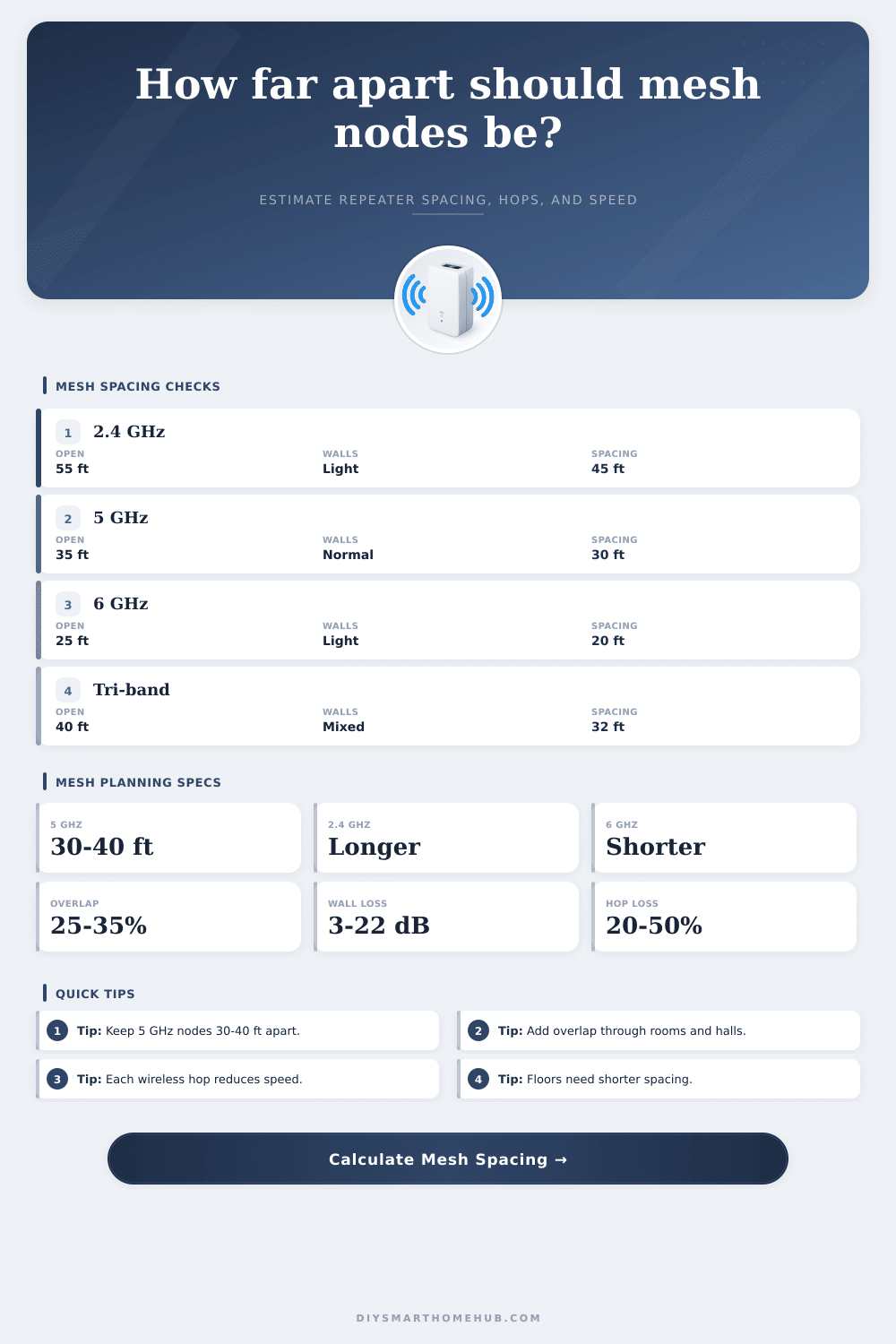
In this case, overlap is your friend. Instead of having nodes touching each other on their edges, you want them overlapping with some amount of coverage. Ideally, repeaters should be located within a 25-35% overlap zone of the last node. Sounds wasteful? No… If the last node’s range ends exactly where yours begins, you’ve introduced a weak link into the chain. When devices roam across nodes, they’ll switch over to a strong signal before the old one drops out, keeping the data pipe flowing without choking it up with retransmissions and retries.
Your starting plan depends on what bands you choose. Mesh today runs at five gigahertz by default, that’s a reasonable compromise of range versus speed for most typical home environments. Nodes should be spaced thirty or maybe forty feet apart with acceptable walls. It is faster than that (six gigahertz), but has a far shorter range. It does not work well through anything other than air. If you’re going six, expect more nodes closer together. Slower two point four gigahertz has farther reach through solid objects. Perfect if you have scattered IoT stuff around the house! It is also slower and more easily interfered with by neighbors.
Mixed systems require judgement. The comparison chart on the page explains this clearly: how material density affects frequency. Don’t make this too complicated on your first draft.
What’s the best backhaul option? Run Ethernet cable to your nodes. Because each node gets full speed from the network, there is no loss at any hop. The cost for performance is convenience. Running wireless backhaul costs you a lot in performance. Using shared radios will cut your available throughput by about half every time you take a wireless jump. Even dedicated backhaul radios incurs distance/obstruction loss.
Position your primary router in the middle of the house first. Then add nodes using the spacing suggested by the tool based off your wall types. If you’re getting sluggish performance at certain times of day, nudge a node a bit more inward. Mesh shines because of strong individual connections and redundancy, not because of a single long-distance jump. Focus on solid coverage, not necessarily maximum potential range.
I think your living room will appreciate it when you stream Netflix this evening. You should of checked the signal first.