Camera SD Card Recording Days Calculator
Estimate how many recording days a camera microSD card can hold from card size, usable capacity, loop reserve, bitrate, codec factor, scheduled hours, motion duty cycle, and write endurance.
🎯Camera SD card presetsPick a real recording profile, then adjust the inputs.
⚙Calculator inputsUse the camera's main stream bitrate when known.
📊SD recording spec gridKey assumptions used by the calculator.
SD card retention results
🗂Recording comparison gridHow settings change days and write load.
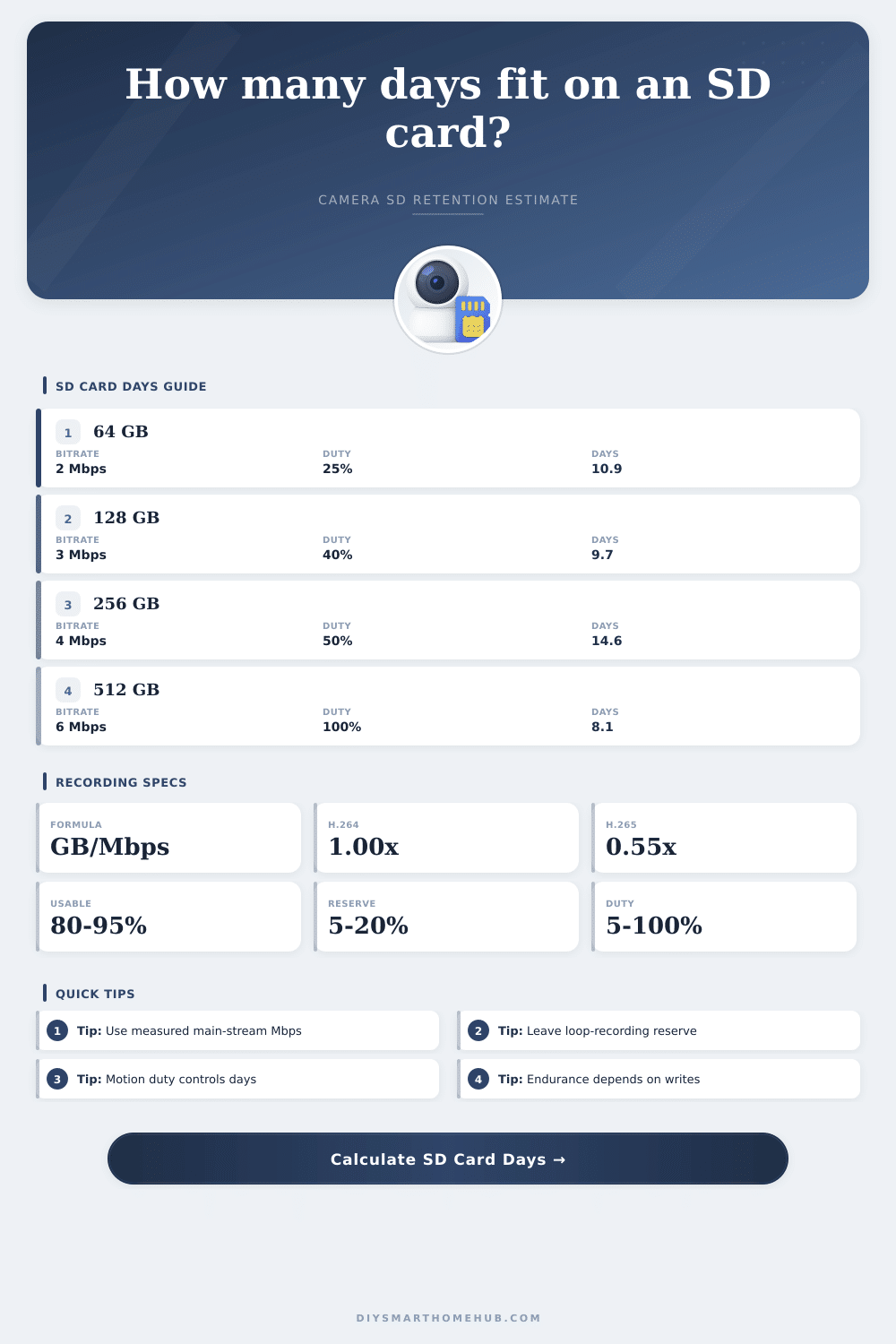
📋SD card recording reference tablesBitrate, card size, codec, and endurance checks.
| Formula item | Calculator expression | Purpose |
|---|---|---|
| Video GB/day | Mbps x 86400 / 8 / 1000 x duty | Convert bitrate to daily storage |
| Usable GB | card GB x usable % x (1 - reserve %) | Capacity available to video files |
| Recording days | usable GB / GB per day | Main SD retention result |
| Codec-adjusted Mbps | base Mbps x codec factor | Apply H.265 or actual-stream factor |
| Effective duty | hours / 24 x motion duty | Combines schedule and motion-only recording |
| Card size | Video GB at 92% usable, 10% reserve | 2 Mbps 25% | 4 Mbps 100% |
|---|---|---|---|
| 64 GB | 53 GB | 12.3 days | 1.5 days |
| 128 GB | 106 GB | 24.5 days | 3.1 days |
| 256 GB | 212 GB | 49.1 days | 6.1 days |
| 512 GB | 424 GB | 98.1 days | 12.3 days |
| 1024 GB | 848 GB | 196 days | 24.5 days |
| Codec mode | Factor | Best input | Retention effect |
|---|---|---|---|
| H.264 / AVC | 1.00x | Baseline Mbps | Standard storage estimate |
| H.265 / HEVC | 0.55x | H.264-like base Mbps | Often longer retention |
| H.265+ smart codec | 0.45x | Low-motion scenes | Can reduce writes further |
| Actual stream | 1.00x | Measured camera Mbps | Most reliable calculation |
| MJPEG | 4.00x | Legacy frame stream | Much shorter retention |
| Write load | Daily writes | Endurance note | Planning check |
|---|---|---|---|
| Light motion | 5-15 GB/day | Lower write stress | Common doorbell profile |
| Moderate motion | 15-60 GB/day | Watch retention and TBW | Typical porch or driveway |
| Continuous 1080p | 40-90 GB/day | Higher overwrite rate | Endurance card class matters |
| Continuous 4K | 100+ GB/day | Heavy write cycling | Verify camera and card limits |
| Multi-stream | Varies | Use combined Mbps | Add every recorded stream |
💡SD recording tips
This calculator estimates storage and write load only. Camera firmware, file segmentation, substreams, encryption, event snapshots, and card health can change real-world retention.
The 64-gigabyte microSD card was compact enough to slip in your pants pocket, and on sale. Perfect. You inserted it into your doorbell camera. Hit the power button; wait until status light turns green. Sweet! You thought you were all set for months of security video. Then: ding-dong. Alert! Storage is maxed out. Older recordings was deleted. Uh-oh.
What happened? Why does this supposedly huge 64GB card only last two weeks’ worth of porch action? It’s not that there’s something wrong with the card itself. It’s that you don’t understand how video files can quickly eat up all available space. Bitrate is the key. The problem is that most cameras don’t have a set, known bitrate. Instead, they are constantly changing it depending on what’s being recorded.
How to Make Your SD Card Last Longer
It doesn’t take many bits to encode a blank wall. Then along comes a gust of wind and all of a sudden there’s a huge spike in digital information as leaves blow around on the bush outside your window. For most homeowners, this means it’s nearly impossible to guess how much data each camera produce. Plug in the right profile of your camera into the calculator above and let it handle all the heavy lifting for you. No more guessing if your card will last through the week or not. But knowing what these inputs mean will allow you to make smarter choices when it comes to scheduling and resolution.
Let’s begin with the codec. Did you buy a camera that shoots in H.264? That’s an old standard and produces bigger files. More current cameras shoots in H.265. This is much more efficient and can sometimes reduce file size by almost half without any noticeable loss of image quality. A coefficient factors this into the equation, but only if you’re shooting the right thing: Which codec does your camera realy use? Lots of cheap cameras tout advanced compression techniques, but don’t have the power to produce it well. Look at your settings menu. Do you see an option that says HEVC (for High Efficiency Video Coding) or something similar? Turn it on. This is the biggest tool you can use to extend retention while avoiding additional storage purchases.
Another silent killer of storage space is motion duty cycle. Does your camera save all footage? Or does it only capture and save footage when something moves past the sensor? Continuous duty cycle take up a lot of storage. Every time a leaf drops, its captured. A few days later, your card is full. Switching to motion detection can drop your write load by as much as forty percent because you’re only writing during periods where actual motion occurred.
To account for this, the calculator asks what percentage of the scheduled recording time you think was spent on actual video data. Do not cheat here. Have a busy street corner? Your duty cycle will be high. Got a quiet backyard? Duty cycle will be low. Get it wrong and you’ll either get insanely conservative with your retention settings or needlessly optimistic.
The other thing: pay attention to the reserve setting on the loop. Constantly writing to microSD cards will eventually wear them out. That’s part of their life cycle, and they do have to write over previous data, but it’s better if they don’t fill up all the way to the last byte and force an overwrite. Doing so causes fragmentation and slows things down. By leaving a little bit of empty space untouched… A buffer, it allows the camera’s file system to breathe. In fact, the calculator subtracts that reserve space from your available space. So you may think you’re losing out on recording time, but you’re actualy investing in reliability. Cards that run smoothly will last longer then ones that chug away at max density.
And lastly, think about the endurance rating. Cameras capturing a couple hundred images per day use standard SD cards. Security cameras capture gigabytes of data each and every hour. They consume flash memory for breakfast. Plugging in an economy non-endurance card into a surveillance system is akin to bolting a bicycle tire onto a race car. Sure, it’ll get you around for a lap or two, but don’t expect it to hold up under prolonged stress. Check out the TBW rating, which is short for terabytes written. The higher this number, the more data the card can sustain without failure. If you are writing a lot of data, like with a security camera, a higher endurance rating protects against losing data at the most critical moment.
Local storage is a matter of rationing: How much do I want and how good does it have to look? You pay for enterprise gear if you want ultra-high resolution, continuous all-day recording, and weeks’ worth of stored footage on a small card. But you can eke a lot more out of that modest SD card if you enable moddern codecs, tweak the bitrate, and respect motion triggers. It’s less about cramming in as much as possible and more about making the stuff you care about easily viewable at the time you want.
Maybe you don’t need a sixty-four gigabyte card after all…if only you should of stopped thinking of it as an infinite void and began rationing its contents.