Home Security Camera Count Calculator
Estimate outdoor and indoor camera count from perimeter length, entries, blind spots, field of view, useful range, desired overlap, indoor zones, bitrate, and recording storage assumptions.
🏠Security camera presets
📋Coverage and storage inputs
Camera count estimate
📷Camera spec grid
📊Reference tables
| Coverage Driver | Calculator Input | Count Effect | Planning Use |
|---|---|---|---|
| Perimeter length | Exterior run in feet or meters | Divides by effective camera coverage width | Best for fence lines, wall runs, and side-yard paths. |
| Entry points | Doors, gates, and garage approaches | One focused view per entry in the baseline | Entry count often sets the minimum before area checks. |
| Blind spots | Corners, recesses, and blocked approaches | Every two blind zones add about one camera | Useful when walls or landscaping interrupt sight lines. |
| Indoor zones | Rooms, halls, stairs, and detached interiors | Every one to two zones add interior coverage | Separates indoor monitoring from outdoor perimeter math. |
| FOV and Range | Nominal Width | After 15% Overlap | Best Fit |
|---|---|---|---|
| 80° at 35 ft | About 59 ft | About 50 ft | Entry detail or narrow side yards. |
| 100° at 45 ft | About 107 ft | About 91 ft | Balanced exterior overview planning. |
| 120° at 35 ft | About 121 ft | About 103 ft | Short-range porch, patio, or wide yard view. |
| 55° at 80 ft | About 83 ft | About 71 ft | Long driveway or focused boundary view. |
| Bitrate per Camera | 24 Hr Data | 14 Day per Camera | Typical Planning Note |
|---|---|---|---|
| 2 Mbps | About 21.6 GB | About 0.30 TB | Lower detail or stronger compression profile. |
| 4 Mbps | About 43.2 GB | About 0.60 TB | Balanced fixed camera reference. |
| 6 Mbps | About 64.8 GB | About 0.91 TB | Higher detail entries or busier scenes. |
| 8 Mbps | About 86.4 GB | About 1.21 TB | High-detail streams and long retention need checks. |
| Project Size | Typical Inputs | Count Range | Dominant Driver |
|---|---|---|---|
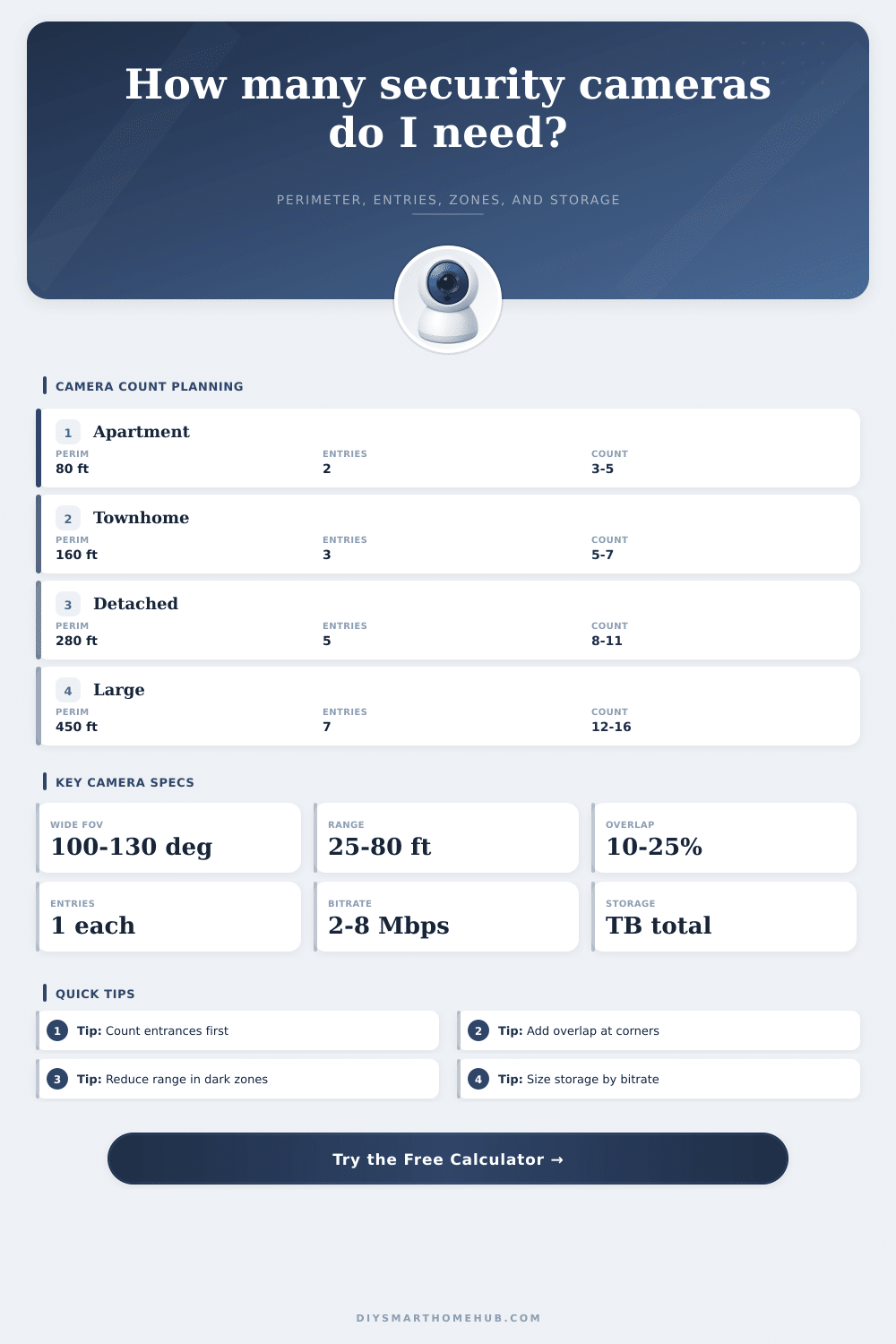
| Apartment or condo | 2 entries, 0 to 2 indoor zones, short perimeter | 3 to 5 cameras | Entry and indoor zone count. |
| Townhome | 3 entries, 2 to 4 corners, 120 to 200 ft perimeter | 5 to 7 cameras | Entries plus corner handoff. |
| Detached home | 4 to 6 entries, 240 to 340 ft perimeter | 8 to 11 cameras | Perimeter and blind spots. |
| Large property | 6+ entries, 400+ ft perimeter, remote zones | 12 to 18 cameras | Perimeter, range, and storage. |
✅Camera count planning tips
With a tape measure in hand and a gut feeling that maybe three camera won’t cut it, you’re standing in your back yard. Most people pause here, because it isn’t always clear where to draw the line between enough security and too much paranoia without mapping out sight lines.
Once you know how many entry points and perimeter length to input into this house security camera count calculator, it will do the math for you. Sparing you from guessing at conversions and coefficients. But it’s only going to work if you actualy have an idea of what these inputs translate to in real life.
How to Use the Security Camera Calculator
Begin from the outside in. You’d think it would be easy; just follow the fence, right? Not necessarily. The camera view differ depending on whether it’s positioned on a soffit high above ground or mounted low to eye level of passersby.
The calculator will ask you to set a realistic range within which you can make a useful ID. Assume half what you believe your lens can see from fifty feet away; lighting changes, tree foliage grows, and people casts shadows. Better to err low rather than learn too late about holes in your coverage.
You also want a view of every garage, gate and other door into your home, those are entry points, and no negotiation there. Why? They’re the easiest ways in, so they is the highest priority spots to monitor. They are hard minimums that the calculator use when calculating coverage.
Sure, it’s great to have some kind of overview of your lawn from out front for aesthetic reasons, but not if you can’t get a good look at someone who just rang your doorbell. So again, a narrow field of view is better than a wide one at close range, since we do want detail for entry cams. So the spec grid differentiates between entry-detail and wide-angle overview lenses respectively, which don’t both benefits from the same lens settings.
The problem with plans are blind spots (side-yard obstacles), overhanging trees, recessed porches, and other obstructions that block sight lines that appear unobstructed on paper. So how does the calculator account for them? You identify their complexity as corners, and based off your answer, it adds cameras to provide useful overlap.
At first glance, this seems redundant: “Oh, I have a camera covering the side yard, and I’m going to have another camera covering my driveway. Well, they’ll touch each other right there; they don’t need to cover the same ground.” No, no, no. You will lose motion from one view to the next in that overlap area. Adding fifteen, maybe even twenty-five, percent overlap guarantees uninterrupted tracking. More cameras, sure, but fewer questions about whether or not you got the frame.
People get hung up on resolution but neglect to consider retention and bitrate, which is why storage is the silent cost of good security. High definition looks great, but then your hard drive fills up in three days and your network slow down. The calculator estimates your terabyte requirements based on recording hours, average megabits per second, and how long you wish to keep footage.
Assuming 4 megabit/camera, 24 hour/day, 8 cameras, that’s approximately four and a half terabytes for a couple weeks of video. Add some buffer for overheads like metadata and spikes from motion. The page has reference tables breaking it down by bitrate so you can see why cutting corners on storage planning fails.
When it comes to indoors, however, things is different: It’s no longer about distance and weather; it’s about layout, and about how private you want certain areas to be. That’s what led us to split up the math for outdoors (perimeter) from indoors (zones), as constraints are totally different. For example, a stairway landing requires one camera, whereas an expansive open living space could require two, depending on how you arrange your furnitures. Field of view tends to beat long range when it comes to inside cameras.
Fewer is better. There is no need to increase the number of lenses. Instead, remove uncertainty with a well thought out system that has fewer blind spots, manageable storage costs, and clear responsibility for each entry point. You should of planned this out first. Tweak the retention days in the calculator above or move the overlap slider to see how small changes ripple throughout your hardware needs.
Start with your doors. Take measurements using the actual distance instead of the theoretical distance. Let the numbers speak for themselves, because that is where most people go wrong. They purchase cameras first and try to fit the plan around it later (reverse that process), and the rest falls into place.