🔋 Roomba 690 Battery Life Calculator
Estimate how long your Roomba 690 will run per charge based on your floor type, room size, and usage conditions.
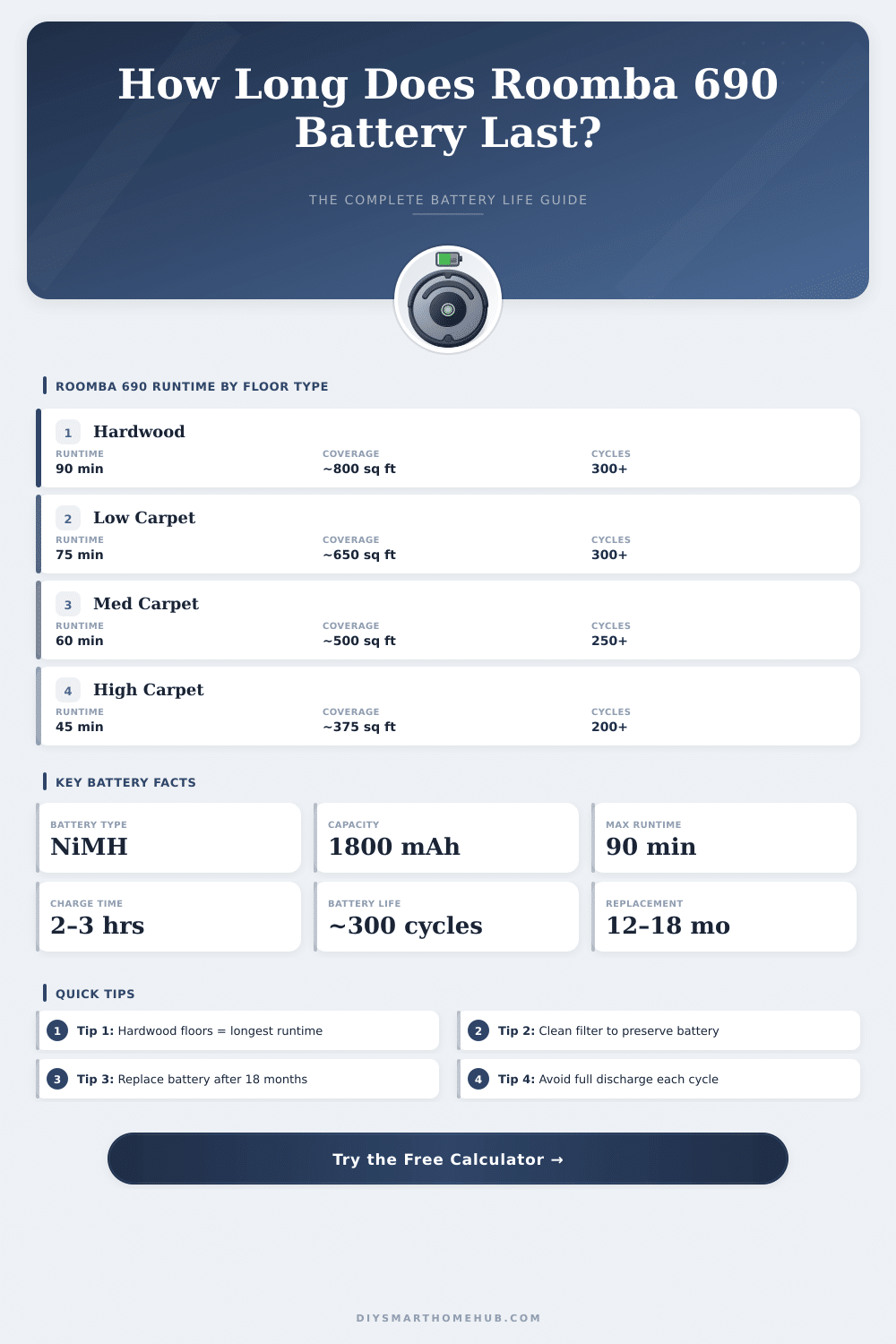
| Battery Age | Capacity Retained | Max Runtime (Hardwood) | Max Runtime (Med. Carpet) | Approx. Coverage (sq ft) |
|---|---|---|---|---|
| New (0–6 mo) | 100% | 90 min | 62 min | Up to 800 sq ft |
| Average (6–12 mo) | 85% | 76 min | 53 min | Up to 650 sq ft |
| Aging (12–18 mo) | 70% | 63 min | 43 min | Up to 500 sq ft |
| Worn Out (18+ mo) | 50% | 45 min | 31 min | Up to 350 sq ft |
| Replacement Needed | <40% | <36 min | <25 min | <280 sq ft |
| Runtime | Hardwood (sq ft) | Low Carpet (sq ft) | Med Carpet (sq ft) | High Carpet (sq ft) |
|---|---|---|---|---|
| 30 min | ~267 | ~222 | ~180 | ~133 |
| 45 min | ~400 | ~333 | ~270 | ~200 |
| 60 min | ~533 | ~444 | ~360 | ~267 |
| 75 min | ~667 | ~556 | ~450 | ~333 |
| 90 min | ~800 | ~667 | ~540 | ~400 |
| Battery State | Charge Time | Recommended Action | Cycle Count Estimate |
|---|---|---|---|
| Fully depleted | 2–3 hours | Allow full charge before use | Any |
| Partially depleted | 1–2 hours | Dock after every run | Any |
| New battery break-in | 3 hours | Full charge x3 to condition | 0–3 |
| Battery replacement | 3 hours (first) | Condition new battery fully | Reset to 0 |
| Storage mode | N/A | Charge to 40% before storing | Suspend |
| Room / Area | Size (sq ft) | Estimated Runtime Needed | Charges Required |
|---|---|---|---|
| Small Bedroom | 120 | ~14–22 min | 1 |
| Medium Bedroom | 180 | ~20–33 min | 1 |
| Living Room | 300 | ~34–56 min | 1 |
| Open Plan Kitchen/Living | 600 | ~67–112 min | 1–2 |
| Full Apartment (1BR) | 750 | ~84–140 min | 1–2 |
| Full Apartment (2BR) | 1100 | ~122–205 min | 2–3 |
| Small House (main floor) | 1500 | ~167–278 min | 2–4 |
The battery of the Roomba 690 is built to last up to 90 minutes in one round. When the device is fresh from the factory it usually reaches that advertised time. For instance, one copy that operates for more than four years and finished above thousand cleaning tasks, always gives around 80 minutes per round.
Like this the battery keeps its skill quite well through the years.
Roomba 690 Battery Life and Replacement
A weird feature of the Roomba 690 is that the battery loses charge when one leaves it off the charging station. Even if the robot simply stands there without activity, leaving it off the base for less than 24 hours can fully drain the energy. When the charging station is shut off the outlet, the Roomba quickly dies in a few hours.
Remember that to avoid surprises.
The battery naturally wears down over time. Signs of a dying battery are shorter cleaning sessions. Also, the device cannot even manage to go a few inches from the station before asking for a round.
It stays their and yells “please charge Roomba” the whole day. In such case, you probably need a back-up battery. But sometimes the fault is not with the battery itself.
Before changing it, check if the charger causes the crash. Plug the connection in the outlet and watch if the lights turn on. If not, test another outlet.
When it still does not work, maybe the cable needs replacing. Also dust buildup from cleaning can block the right connection to the station.
Dirty contacts can also create troubles. The contacts for charging on the Roomba can warm too much and melt the plastic around them. Remove the battery and press the spring contacts under it back into place.
Error code “err5” commonly appears because of dirty contacts or when the battery must be exchanged.
It is possible to find back-up batteries of various kinds. The Roomba 690 uses a lithium-ion type. There are options with different capacities.
Some replacements have 1800 mAh at 14.4 V. Others reach more, for instance 5200 mAh or even 6.8 Ah. A true 48 Wh battery works for the Roomba 690. Some models fit with several Roomba series, including 500, 600, 700, 800 and 900.
One particular replacement works only for Roomba 690 and 691. They commonly come with a 30-day money-back guarantee and 12-month warranty, using quality cells.
Swapping the battery itself is not very hard. To install the new one in the Roomba 690, open the back cover using the four screws. Remove the old battery before any other repair work, because handling electrical parts with a chargedbattery can be dangerous.
The original battery from iRobot is sold on their website in standard and extended versions of capacity.