🔋 Google Nest Doorbell Battery Life Calculator
Estimate how long your Nest Doorbell battery will last based on your real usage patterns
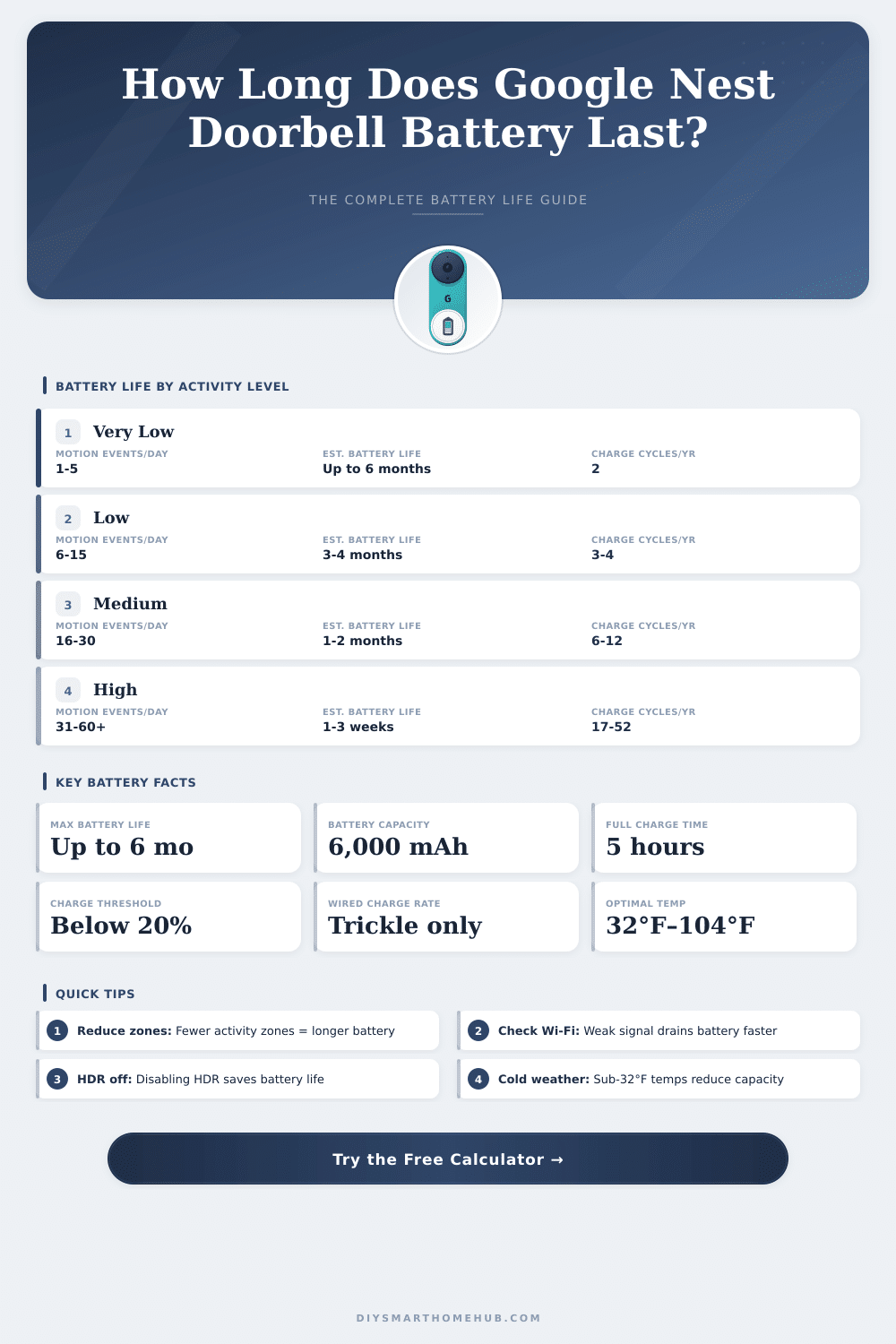
| Activity Level | Events/Day | Est. Battery Life | Charges/Year | Status |
|---|---|---|---|---|
| Very Low | 1 – 5 | 5 – 6 months | 2 – 3 | Excellent |
| Low | 6 – 15 | 3 – 4 months | 3 – 4 | Good |
| Medium | 16 – 30 | 1 – 2 months | 6 – 12 | Moderate |
| High | 31 – 60 | 2 – 4 weeks | 13 – 26 | Frequent Charging |
| Very High | 60+ | 1 – 2 weeks | 26 – 52 | Consider Wired |
| Temperature (°F) | Temperature (°C) | Battery Impact | Life Reduction |
|---|---|---|---|
| Below 14°F | Below –10°C | Severe reduction | Up to 60% |
| 14°F – 32°F | –10°C – 0°C | Significant reduction | 30 – 50% |
| 32°F – 50°F | 0°C – 10°C | Moderate reduction | 10 – 25% |
| 50°F – 95°F | 10°C – 35°C | Optimal range | 0% |
| 95°F – 104°F | 35°C – 40°C | Mild reduction | 5 – 15% |
| Above 104°F | Above 40°C | Overheating risk | May shut down |
| Wi-Fi Quality | Signal Strength | Battery Drain | Life Reduction |
|---|---|---|---|
| Excellent | –50 dBm or better | Minimal extra drain | 0% |
| Good | –51 to –65 dBm | Slight extra drain | 5 – 10% |
| Fair | –66 to –75 dBm | Noticeable drain | 15 – 25% |
| Poor | –76 dBm or worse | Heavy drain | 30 – 50% |
| Feature / Setting | When ON | Battery Drain | Recommendation |
|---|---|---|---|
| HDR Video | Always recording in HDR | +10 – 15% | Disable if battery is priority |
| Activity Zones (each) | More processing per event | +3 – 5% per zone | Use 1–2 zones max |
| Familiar Face Detection | On-device processing | +5 – 10% | Disable if rarely used |
| 24/7 Continuous Recording | Constant video upload | Very high – not recommended | Use event-based recording |
| Live View (per session) | Active streaming | ~1–3% per 5 min | Limit to necessary checks |
| Chime Press Response | Video + chime activation | ~0.5% per press | Normal usage fine |
The Google Nest Doorbell with Battery is a smart video doorbell, that sends clear HD video of your front door, so that you can see guests and steps in on time. It has a built-in rechargeable Battery, that allows to place it anywhere without need of electrical wiring works. That really helps renters or those, that want to skip the annoying rewiring.
It works for almost every type of door, whether in homes or in apartments simply said.
Google Nest Doorbell with Battery: How It Works and Battery Problems
Between the main benefits is the way, as it well spots events beside your door. It tells difference between people, packages, animals and cars, later tells you about them, what really deserves attention. Rather than receive crowds of alerts, you receive precise notices, everything through the Google Home app.
Here also are many options. The doorbell can connect to your already existing wired system, if you want. When it is well bound to converter with 8, 24 VAC in 10 VA and 50/60 Hz, Google ensure, that it will operate in normal temperatures without need to recharge.
On the otehr hand, if you use only the Battery and have two until five events daily, likely you will have to reset it every six months or like this. Some users mentioned, that they must charge it after only six weeks, after forty hours of use. But here the trouble, others experienced faster draining, where the Battery fell to 25% in only eight days after full charge.
Various factors affect the duration of the Battery. The winter is especially harsh for it. The Battery does not charge in temperatures under 32°F. In freezing regions, you maybe will have to bring the whole device inside to warm it before recharging, even if it is wired.
Cold weather can also force the unit too rest when some press the button, stopping the video for minute. That rest is linked to weak Battery in cold conditions.
Here the problem, the Battery can not be replaced by user. If it forever fails, you stay with a broken doorbell. The capacity of the Battery is 6000 mAh.
If you however need replacement, exists Li-Polymer Battery with the part number G823-00179-01. To install it, you need a T5 hex screwdriver and PH000 Phillips screwdriver to open everything.
Adding a solar panel is another good idea to consider. The downside? During the solar panel actively charging, you can not check the level of the Battery.
Also, the version with Battery does not support continuous video all day, not even if it is wired and you pay for Nest Aware. Signs of low Battery include, that the doorbell does not respond, warnings appear in the app, andweaker Wi-Fi link with video quality.