🤖 Roomba J7 Battery Life Calculator
Estimate exactly how long your Roomba J7 will run per charge based on your floor area and surface type
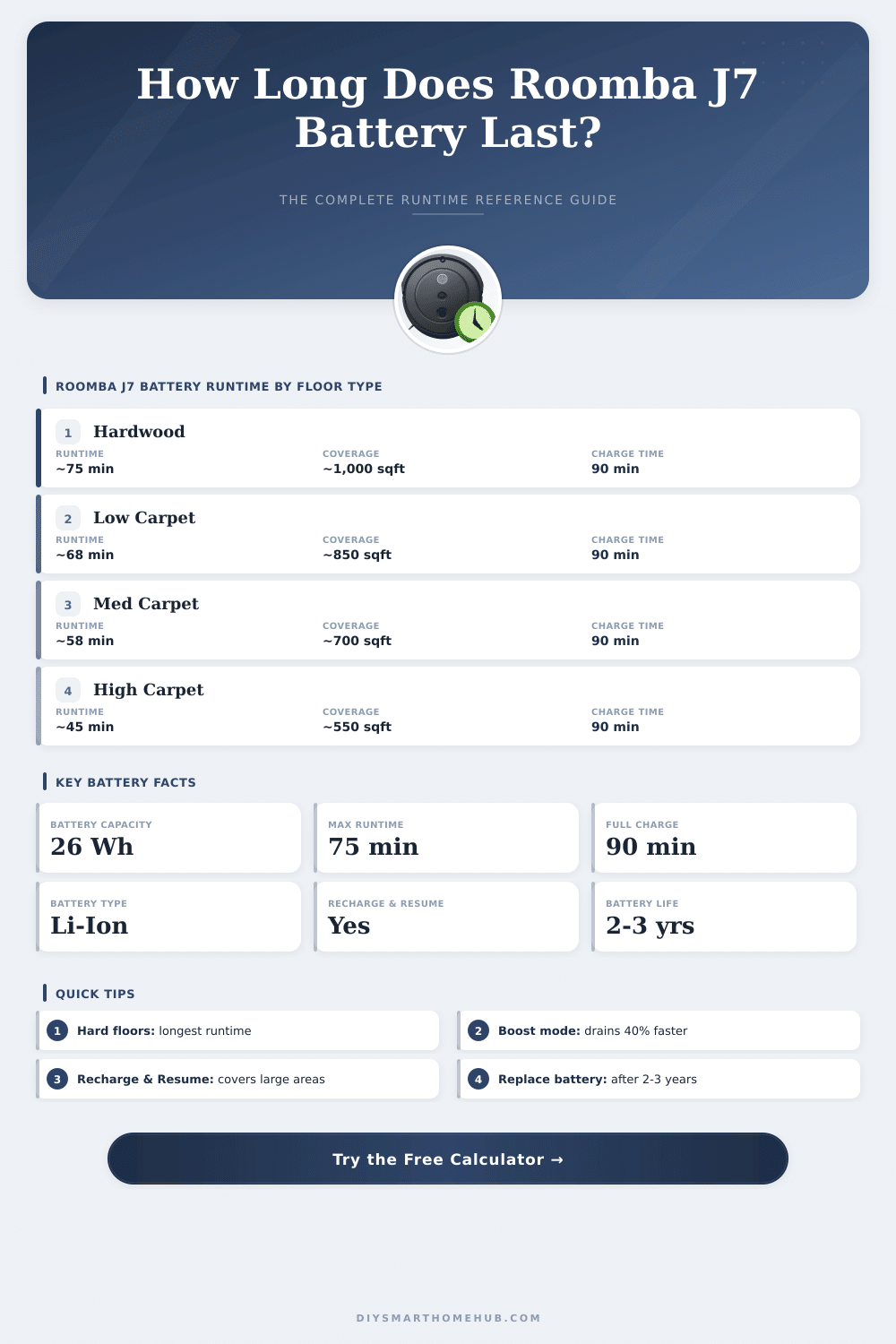
| Floor Type | Estimated Runtime | Coverage (sq ft) | Coverage (m²) | Power Draw |
|---|---|---|---|---|
| Hardwood / Tile | 70–75 min | 900–1,100 sq ft | 84–102 m² | Low |
| Low-Pile Carpet | 62–70 min | 780–900 sq ft | 72–84 m² | Medium |
| Medium-Pile Carpet | 52–62 min | 650–780 sq ft | 60–72 m² | Medium-High |
| High-Pile / Plush | 40–52 min | 500–650 sq ft | 46–60 m² | High |
| Mixed (Hard+Carpet) | 58–68 min | 730–860 sq ft | 68–80 m² | Medium |
| Area Rugs on Hard | 65–72 min | 820–920 sq ft | 76–85 m² | Low–Medium |
| Cleaning Mode | Runtime vs Auto | Typical Runtime | Best For |
|---|---|---|---|
| Eco / Quiet Mode | +15% longer | Up to 86 min | Light daily clean |
| Auto (Recommended) | Baseline | 60–75 min | General cleaning |
| Carpet Boost / Power | –30 to –40% | 40–52 min | Deep carpet clean |
| Battery Age | Estimated Capacity | Runtime Reduction | Expected Runtime |
|---|---|---|---|
| 0–6 months (New) | 100% | None | 60–75 min |
| 6–18 months (Good) | 88–95% | 5–12% | 53–71 min |
| 18–30 months (Aging) | 72–88% | 12–28% | 43–66 min |
| 30+ months (Old) | 50–72% | 28–50% | 30–54 min |
| Scenario | Area | Floor Type | Est. Runtime | Passes Needed |
|---|---|---|---|---|
| Studio Flat | 350 sq ft / 33 m² | Hardwood | ~25 min | 1 pass |
| 1-Bed Apartment | 600 sq ft / 56 m² | Mixed | ~45 min | 1 pass |
| 2-Bed Apartment | 900 sq ft / 84 m² | Low Carpet | ~65 min | 1 pass |
| Small House (1 floor) | 1,100 sq ft / 102 m² | Mixed | ~75 min+ | Recharge & Resume |
| Medium House | 1,500 sq ft / 139 m² | Med Carpet | Multi-charge | Recharge & Resume |
| Home Office Only | 200 sq ft / 19 m² | Hardwood | ~15 min | 1 pass |
In the Roomba J7, one finds a 2210 mAh Battery that is the same amount as that which powers the i8, and around five times bigger than in the i7. Fully charged the j7+ can run for up to 75 minutes, which seems quite good on paper. Problem is that it commonly hardly covers more than 600 square feet before it must return to the base. One time I tested it on the upper floor with three bedrooms, with two bathrooms, and the job ended after more than seven hours and several recharges to finish the task.
The app allows you to use helpful modes of cleaning, among them mopping at the edges of rooms. What happens outside that? Those extras drain the Battery even more quickly.
Roomba J7 Battery Problems and Replacement Options
For simple tasks one goes back to basic settings, and then the duraiton reaches almost 120 minutes. Great benefit is that one can set that for every room or design own programs, for instance for automatic vacuuming after morning meal. Truly useful feature.
Here the main problem of the Roomba J7: real problem with slow wearing down of the Battery. Some devices start to loose force after only one year of use. In the worst cases, I saw Roombas that are only six months old, dying after only 10 minutes on full round.
The problems show up differently, the job sharply dies during cleaning, does not charge right at the station even after restart, or shows wrong messages that it does not know the Battery. Simple restart sometimes helps. Press long on the button Clean for around 10 seconds until you hear a beep can fix some causes.
When comes time for a new Battery, some options exist. Official lithium ion replacements from iRobot work for the series e, i and j (only j9+), and fit models of e5 and e6 up to i3, i4, i7 and i7+. They make also a special Battery for the combined j7+, j9+ and j9+ bought before middle of July 2024. Those combined units give 64.2 Wh, so double more than the standard 32 Wh Battery that comes with the j7+. The boost in capacity is big; the duration jumps from around one hour to almost four hours.
One must pay around 250 Australian dollars for that upgrade.
Third party options exist also. There are good aftermarket replacements made for this and fully compatible with the Roomba J7. Other company includes two year guarantee and replaces iRobot part numbers ABL-D1, ABL-D2 and 4624864. Some aftermarket batteries offer full specs like 2500 mAh capacity, 14.4 V, weight under 9 units and stronger ABS cover.
Even so, not each such Battery fits every model… One 4460 mAh variant that I checked turned out too big for the j7+.
The official Battery is missing from the website of iRobot for more than a month, what forces users to turn to thirdparty options. IRobot stays a known name in robotic vacuuming, but the competition catches up quickly.