🤖 Roomba i3 Battery Life Calculator
Estimate how long your Roomba i3 will run per charge based on your home’s size and floor type
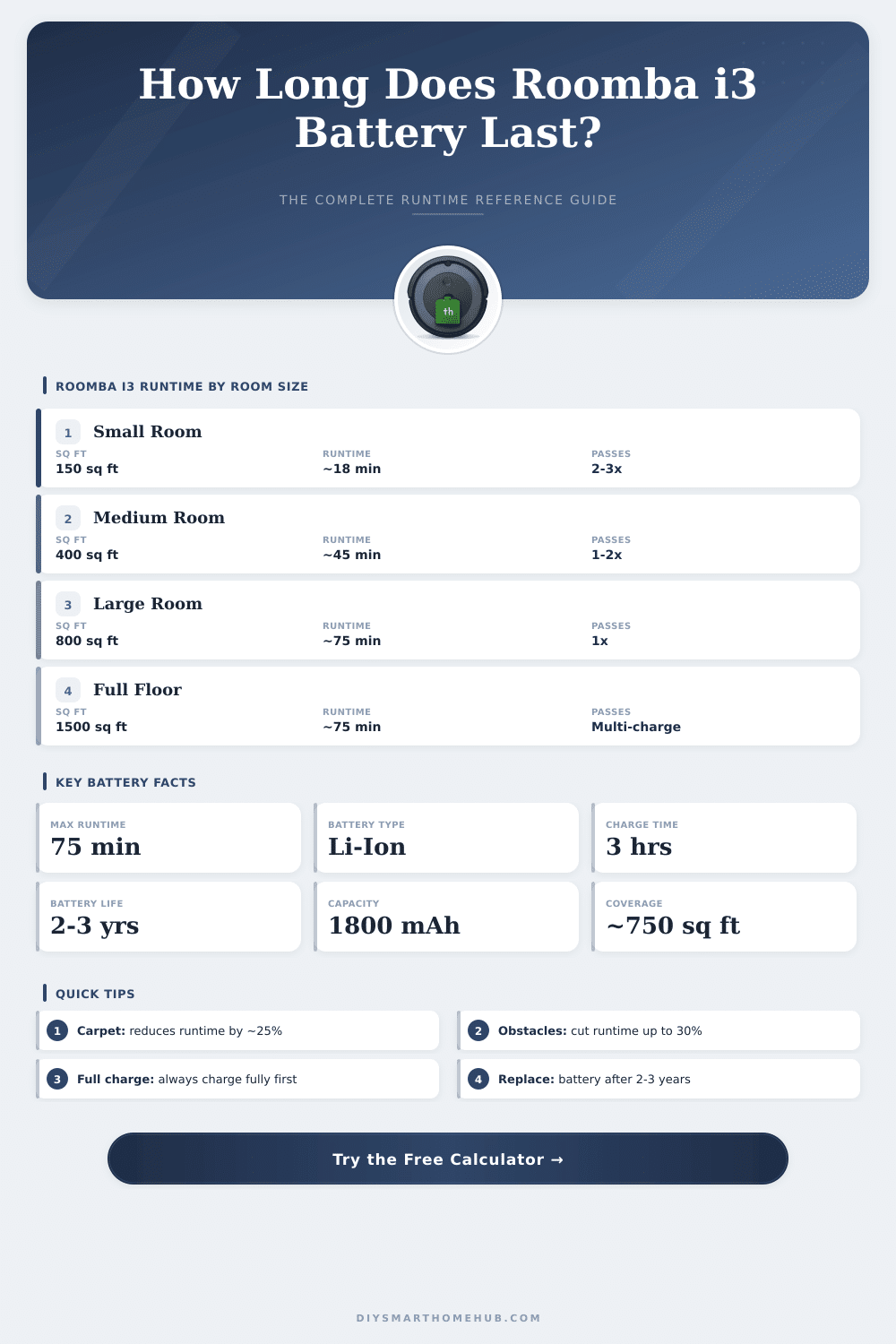
| Room / Area | Size (sq ft) | Size (m²) | Est. Runtime | Charges Needed |
|---|---|---|---|---|
| Small Bedroom | 100–150 sq ft | 9–14 m² | 10–18 min | 1 |
| Standard Bedroom | 150–250 sq ft | 14–23 m² | 18–30 min | 1 |
| Living Room | 250–400 sq ft | 23–37 m² | 30–48 min | 1 |
| Open-Plan Space | 400–650 sq ft | 37–60 m² | 48–75 min | 1 |
| Small Apartment | 650–900 sq ft | 60–84 m² | 75 min + dock | 2 |
| Medium Home | 900–1500 sq ft | 84–139 m² | 75 min + dock | 2–3 |
| Large Home | 1500+ sq ft | 139+ m² | 75 min + dock | 3+ |
| Battery Age | Est. Capacity | Max Runtime | Max Coverage | Charge Cycles |
|---|---|---|---|---|
| New (0–6 mo) | 100% | 75 min | ~750 sq ft | 0–100 |
| 1–2 Years | ~85% | ~64 min | ~638 sq ft | 100–365 |
| 2–3 Years | ~70% | ~53 min | ~525 sq ft | 365–730 |
| 3+ Years | ~55% | ~41 min | ~413 sq ft | 730+ |
| Floor Type | Speed Factor | sq ft per min | m² per min | Battery Draw |
|---|---|---|---|---|
| Hardwood / Laminate | 1.0x (baseline) | ~10 sq ft/min | ~0.93 m²/min | Normal |
| Tile / Vinyl | 1.0x | ~10 sq ft/min | ~0.93 m²/min | Normal |
| Low-Pile Carpet | 0.87x | ~8.5 sq ft/min | ~0.79 m²/min | +15% |
| Medium-Pile Carpet | 0.77x | ~7.5 sq ft/min | ~0.70 m²/min | +30% |
| High-Pile / Plush | 0.67x | ~6.5 sq ft/min | ~0.60 m²/min | +50% |
| Mixed Floors | 0.83x | ~8 sq ft/min | ~0.74 m²/min | +20% |
The Roomba i3 works with a lithium-ion Battery at 14.4 volts, and the usual capacity of this Battery is 1800 mAh. It powers the robot during its cleaning sessions, that lasts around 75 minutes after full charge. The most many models reach almost one hour of real cleaning time although good Battery can extend that until almost 90 minutes.
Here the main spot however… The Battery of the i3 is quite average. It will not leave you without power.
Roomba i3 Battery: How Long It Lasts and How to Replace It
When you search a replacement, mind the part numbers ABL-D1 or 4624864. The original lithium-ion Battery of iRobot weighs 7.7 units and works for much more than only the i3. The series e, i and j (except the j9+) all use the same type of Battery. That swappability allows that models like e5, e6, i3, i3+, i4, i7, i7+ and some others can use the same repalcement without problems.
Also third-party batteries deserve attention. Lcenergy offers excellent value, that expands the capacity until 5600 mAh. At 14.4 V, and gives clearly longer run time then the original 1800 mAh.
Some aftermarket options go even more forward, reaching until 6800 mAh. If some lack of common recharging, those more capable batteries really help to extend the cleaning sessions.
The process for self replacing it is surprisingly easy. Remove the base plate, press the clip of the Battery to open it and pull out the old. Put the new one in by checking the slots, and press it.
When the base plate is removed, great to clean the dust or dirt that gathered under it. Later simply click the plate back with the side brush.
Some quirks deserve to recall. If your Roomba i3 shuts down after connecting to the charging station, probably the connection of the Battery loosened. Pull the Battery and replace it, which can restart the internal circuit and revive the whole.
Here another spot, the i3 drains its Battery even when it simply stands beside the dock. I found that after fast cleaning, when I left the robot without connection a bit of time, and later found it entirely dead. The manual itself says to leave it on the charger, when you do not use it.
For long term storage on the other hand, hold the home button during ten seconds after taking out the base, so that itshuts down correctly.
If your Battery does not charge and the base light blinks quickly, maybe the contacts of the charger are dirty, sometimes enough to simply clean them. If the Battery weakens, it also can point that other parts of the Roomba wear out, because everything ages together.