📷 Wyze Cam Recording Duration Calculator
Calculate exactly how long your Wyze camera will record based on storage, resolution & recording mode
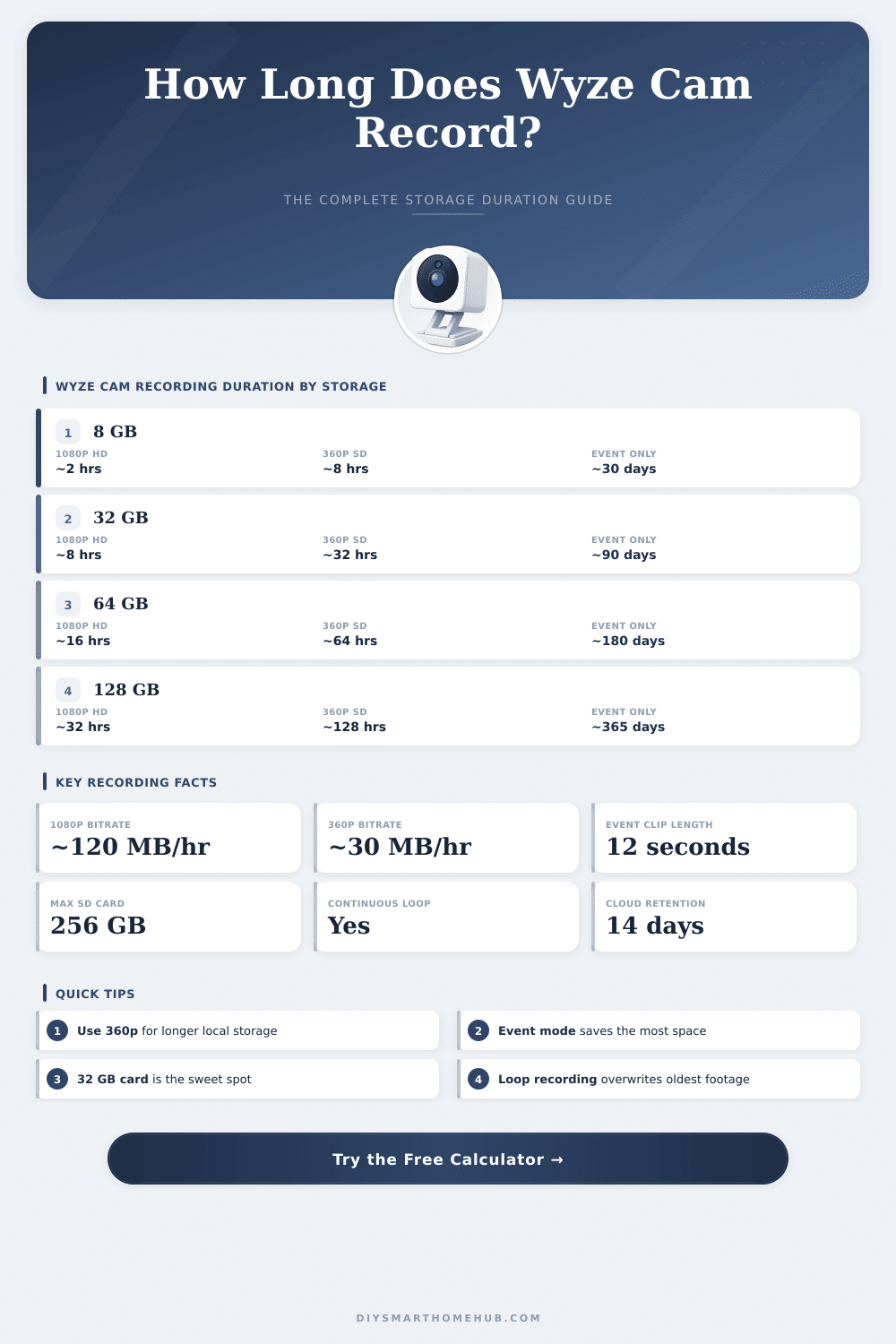
| SD Card | 1080p HD (~120 MB/hr) | 2K (~240 MB/hr) | 360p SD (~30 MB/hr) | Days at 24/7 |
|---|---|---|---|---|
| 8 GB | ~1.8 hours | ~0.9 hours | ~7.1 hours | <1 day (1080p) |
| 16 GB | ~3.6 hours | ~1.8 hours | ~14.2 hours | <1 day (1080p) |
| 32 GB | ~7.3 hours | ~3.6 hours | ~28.4 hours | ~0.3 days (1080p) |
| 64 GB | ~14.6 hours | ~7.3 hours | ~56.9 hours | ~0.6 days (1080p) |
| 128 GB | ~29.1 hours | ~14.6 hours | ~113.8 hours | ~1.2 days (1080p) |
| 256 GB | ~58.2 hours | ~29.1 hours | ~227.6 hours | ~2.4 days (1080p) |
| SD Card | 10 Events/Day | 20 Events/Day | 50 Events/Day | 100 Events/Day |
|---|---|---|---|---|
| 8 GB | ~223 days | ~112 days | ~45 days | ~22 days |
| 16 GB | ~445 days | ~223 days | ~89 days | ~45 days |
| 32 GB | ~891 days | ~445 days | ~178 days | ~89 days |
| 64 GB | ~1781 days | ~891 days | ~356 days | ~178 days |
| 128 GB | ~3562 days | ~1781 days | ~712 days | ~356 days |
| Camera Model | Max Resolution | Typical Bitrate | Max SD Card | Continuous Record |
|---|---|---|---|---|
| Wyze Cam v3 | 1080p Full HD | ~120 MB/hr | 256 GB | Yes |
| Wyze Cam v4 | 2K (2560x1440) | ~240 MB/hr | 256 GB | Yes |
| Wyze Cam Pan v3 | 1080p Full HD | ~120 MB/hr | 256 GB | Yes |
| Wyze Cam Outdoor v2 | 1080p Full HD | ~120 MB/hr | 32 GB | No (Events) |
| Wyze Video Doorbell v2 | 1080p Full HD | ~120 MB/hr | 32 GB | Yes |
| Wyze Cam Floodlight v2 | 2K (2560x1440) | ~240 MB/hr | 256 GB | Yes |
Wyze Cam offers you several modes to record video, and honestly understanding which option works best for your setup changes everything. The easiest method is writing directly to a microSD card. Put one in the camera, and it will continuously save the video stream there.
This way you have unbroken video that you can review whenever you want.
How to Record Video on Your Wyze Cam
Setting up local storage is fairly easy. Open the Wyze app, choose your camera and click the icon for settings. Search in the advanced options and turn on the choice for recording to a microSD card.
It is not the default because that helps to unload the cloud servers of Wyze, that usually handles sending video to your phone. The problem is that some models like the Wyze Cam v2 confuse folks. The real steps to those settings do not always match with what you find in online guides.
The size of the microSD card really matters here. Bigger cards give more recording time, clearly. I found that a 32 GB card in a Wyze Cam v3 provides around four days of continuous video.
Go up to 128 GB, and you get much more. Wyze sells their own microSD cards, though obviously any card does the job well. When the continuous recording fills the card, files save as one-minute bits in mp4 format.
Want to look at thsoe raw files? Remove the card and put it in a computer with a microSD reader.
Cloud storage works entirely differently. Instead of 24/7 video, only detected events go to the cloud. There is no setting for continuous cloud recording, it is simply not built like this.
If you subscribe to Cam Plus, the camera captures events without delay between bits. Even so honestly, those event bits commonly are very short. I noticed a last recording of only 17 seconds about some one sitting in their driveway.
Motion events and sound events can be turned on or off separate in the app, and you can set a recording schedule threw the menu for Event Recording.
The Wyze Cam Outdoor breaks the standard a bit. Continuous storage and playback does not work the same as in models with a cable. To access video from the SD card in the outdoor camera, you must physically remove it and put it in a computer.
Recording stops when motion ends, though you can set how long the camera lasts after motion detection.
Options for resolution include 360p, SD or HD. Here is a weird thing though, if you set continuous storage to 360p, it actually records in HD inside. The Wyze Cam v2 is worth noting, because it can capture around 28 days of continuous video whenpaired with a Wyze microSD card.